Skip to main content
Setting up KeyNet in Trimble Access
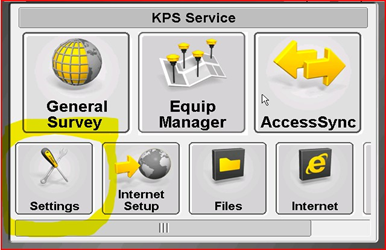
- Open up Trimble Access on the controller.
- Click on the settings tab
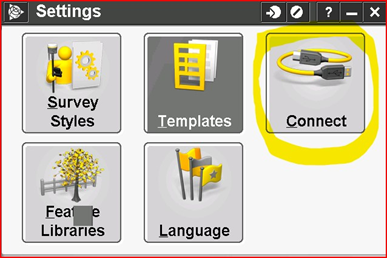
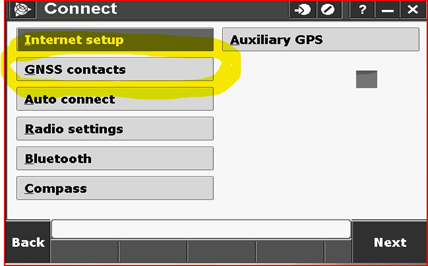
- Select New
- Enter Name
- Contact type is Internet rover
- Network connection is Wi-Fi Active Syn
- Use NTRIP
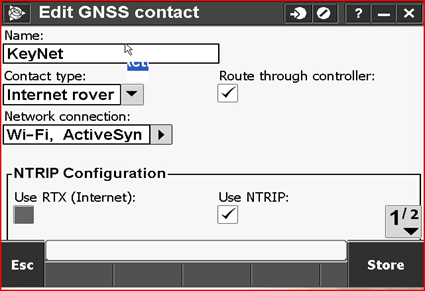
- Select page 2
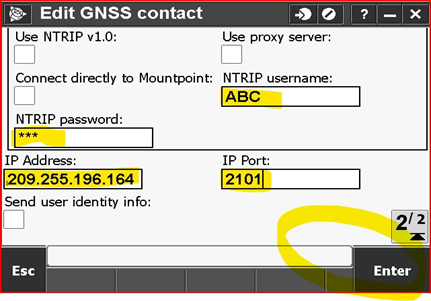
- Put is customers NTRIP username and password
- Put in IP Address 209.255.196.164
- Put in IP Port 2101
- Select Enter and then Store
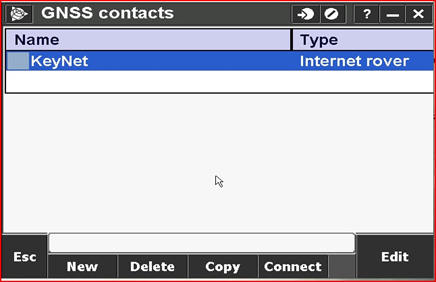
- Your GNSS contact is now finished and ready to use

Comments
0 comments
Please sign in to leave a comment.